Business Surveillance Systems What Owners Must Know
Understanding Business Surveillance Systems
Running a business means keeping a close eye on what matters most. Whether you are concerned about shoplifting, employee safety, customer activity, or daily operations, business surveillance systems can help provide the visibility and protection you need.
A strong surveillance setup is not just about installing cameras. It is about creating a smart system that works around the clock, monitors key areas, and helps alert you to potential problems before they get out of hand. Think of it as an extra set of eyes watching your property 24/7, helping you protect your people, assets, and peace of mind.
Key Features and Capabilities
Modern surveillance systems offer a lot more than just recording video. They’re designed to be active tools for security and operations. Here’s what you should look for:
- Live Monitoring: Trained professionals watch your property in real-time, not just reviewing footage later. This means immediate detection of issues.
- AI-Assisted Detection: Smart software analyzes video feeds to spot unusual activity, like someone lingering too long in a restricted area or unusual movement patterns. This cuts down on false alarms.
- Two-Way Audio: Operators can communicate directly with individuals on-site through speakers. This is a powerful way to deter unwanted behavior instantly.
- Incident Verification and Reporting: When something happens, it’s not just recorded; it’s verified by a human and documented thoroughly. This is important for insurance or legal matters.
Types of Surveillance Technologies Available
The world of surveillance tech has really expanded. You’ve got options that go way beyond basic cameras:
- High-Definition Cameras: These provide clear images, making it easier to identify people and details, even in low light.
- AI Analytics: This is the brainpower behind smart detection. It can identify specific events, track movement, and even detect anomalies.
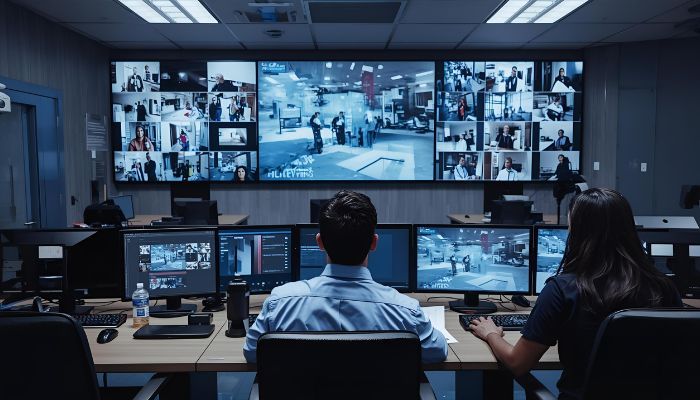
- Remote Monitoring Centers: These are staffed by trained professionals who actively watch feeds from multiple locations, acting as a virtual security team.
- Mobile Surveillance Units: For temporary needs or areas without permanent infrastructure, these trailer-mounted systems offer quick deployment and flexibility.
Benefits Over Traditional CCTV Solutions
If you are still thinking about old-school CCTV, it may be time to look at what newer systems can do. Traditional cameras are useful for recording footage and reviewing evidence after an incident, but they do not always help stop problems before they happen.
Modern surveillance systems are more proactive. With professional CCTV camera installation services, businesses can combine live monitoring, intelligent detection, and real-time intervention to strengthen overall protection. Instead of simply recording suspicious activity, today’s systems can help identify threats as they unfold and support faster action.
This shift from passive recording to active protection can make a major difference in preventing losses, improving response times, and creating a safer environment for employees, customers, and property.
Here’s a quick look at how the new approach stacks up:
| Feature | Traditional CCTV | Modern Surveillance Systems |
| Monitoring | Passive (record only) | Active (live & AI) |
| Intervention | None | Two-way audio, alerts |
| Alerts | None | Real-time, verified |
| Response | Post-incident review | Immediate deterrence |
Designing an Effective Surveillance Plan for Your Business
So, you’ve decided to get serious about security with a surveillance system. That’s smart. But just slapping cameras up everywhere isn’t going to cut it. You need a plan, a real strategy. Think of it like planning a route before a road trip – you wouldn’t just start driving and hope for the best, right? Same idea here.
Assessing Property Layout and Risk Areas
First things first, you’ve got to really look at your business space. Where are the weak spots? What are you trying to protect the most? Walk around your property, inside and out. Think about:
- Entry and Exit Points: Doors, loading docks, gates, even windows. These are obvious targets.
- High-Value Areas: Where do you keep your most important inventory, equipment, or cash? Think safes, stockrooms, server rooms.
- Customer-Facing Areas: Checkouts, service counters, lobbies. These are high-traffic zones where issues can pop up.
- Blind Spots: Are there corners, hallways, or outdoor areas that cameras might miss?
- Employee Access: Areas where only authorized personnel should be.
It’s about identifying where trouble is most likely to happen and where you need the clearest view. Don’t just guess; make a list and maybe even sketch out a simple map. This is the foundation for everything else.
Camera Placement Strategies for Maximum Coverage
Once you know your risk areas, it’s time to figure out where those cameras actually go. The goal here is to get the best possible view without too many gaps. It’s not just about covering every inch, but covering the important inches effectively.
- Overlapping Fields of View: Try to have cameras see each other, or at least overlap their coverage. This helps if one camera is blocked or tampered with.
- Height and Angle: Mount cameras high enough to avoid easy tampering but low enough to capture clear details like faces or license plates. Angle them to cover the intended area without too much glare from lights or the sun.
- Environmental Considerations: Think about weather for outdoor cameras (rain, snow, extreme temps) and lighting conditions (low light, direct sun). Some cameras are built for this, others aren’t.
- Deterrence Factor: Visible cameras can actually stop some problems before they start. Placing cameras at main entrances or in plain sight can make potential troublemakers think twice.
Remember, the best camera placement isn’t always the most obvious. Sometimes, a slightly less direct angle provides a much clearer picture of what’s actually happening. It’s a balance between coverage and clarity.
Integrating AI Analytics for Smarter Detection
Okay, so you’ve got cameras. But just recording video is like having a security guard who only shows up after the crime. That’s where AI comes in. Artificial intelligence can make your surveillance system way more useful by helping it spot trouble as it happens.
Think about these AI features:
- Motion Detection: This is basic, but AI can make it smarter. Instead of just alerting you if a leaf blows by, it can learn to distinguish between normal activity (like cars driving by) and suspicious behavior (like someone lingering near a restricted area).
- Intrusion Detection: Set up virtual tripwires or zones. If someone enters a specific area they shouldn’t, the system flags it immediately.
- Object Recognition: Some systems can identify specific objects, like unattended bags or even people in restricted zones after hours.
- Facial Recognition (Use with Caution): While powerful, this technology has privacy implications and legal restrictions. It’s best used in specific, controlled environments where it’s clearly communicated.
Using AI means your system isn’t just watching; it’s actively looking for things that matter, cutting down on false alarms and letting you focus on real threats. It’s about making your security system work smarter, not just harder.
Industry-Specific Solutions: How Business Surveillance Systems Differ
Retail stores are busy, high-traffic environments that deal with inventory loss, customer disputes, and safety issues every day. Surveillance systems in retail are not just about recording events—they’re about stopping losses before they add up. Modern business surveillance tools provide live video feeds, smart alerts when someone enters a restricted area, and two-way audio features to warn would-be shoplifters or diffuse heated situations.
Some best practices for retail surveillance include:
- Placing cameras near entrances, exits, and cash registers.
- Using AI tools to identify suspicious behavior and reduce false alarms.
- Keeping clear video documentation for investigations or insurance claims.
| Risk Area | Recommended Action |
| Entrances & Exits | High-res cameras, motion alerts |
| Sales Floor | Panoramic cams, pattern analytics |
| Stockrooms/Storage | Access controls, live monitoring |
| Registers/Checkouts | Close-up cams, event tagging |
A personalized video monitoring plan that fits the store layout is way more effective than just putting cameras on every wall. Most theft happens at doors or near small, frequently stolen items—focusing your surveillance there matters.
Warehouse and Industrial Facility Security
Warehouses and industrial sites face a different set of challenges. Think about large perimeters, loading docks open at odd hours, and lots of high-value gear everywhere. Security teams need remote visibility, reliable threat detection, and the tools to intervene before incidents get expensive.
Unique needs for industry surveillance:
- Wide-area camera coverage for storage yards, docks, and hard-to-see corners.
- AI analytics to tell a stray animal or a gust of wind from a real intrusion.
- Integration with access control for shift changes and restricted zones.
| Security Feature | Benefit |
| Perimeter monitoring | Catches trespassers before entry |
| AI threat detection | Reduces nuisance false alarms |
| Live alerts/responses | Speeds up escalation to staff |
| Incident documentation | Supports investigations/audit |
In industrial settings, live monitoring doesn’t just stop theft—it often catches safety issues or equipment hazards before they become accidents. That’s peace of mind you can’t get with traditional CCTV.
Office Buildings and Multi-Tenant Properties
Offices and multi-tenant buildings juggle privacy, visitor access, and shared spaces. Surveillance here needs to balance security and comfort. The best systems prioritize:
- Main entrances, mail rooms, and parking lots for access control.
- Common areas like lobbies and hallways monitored for safety without intruding on workspaces.
- Integration with intercoms, alarms, and access cards for fast verification of authorized people.
Here’s a quick list of priorities in office environments:
- Real-time monitoring of shared spaces and access points.
- Documentation of visitors and after-hours activity.
- Custom alerting—notify building managers, not just a faceless call center.
Good office surveillance isn’t about watching employees—it’s about protecting shared assets and letting tenants know help is there if something goes wrong.
Active Monitoring and Incident Response
Having cameras is one thing, but what happens when something actually goes down? That’s where active monitoring and incident response come in. It’s about more than just recording events; it’s about having eyes on your property in real-time and knowing what to do when trouble pops up. This proactive approach can make a huge difference in stopping problems before they get out of hand.
Live Video Monitoring by Trained Professionals
Instead of just letting cameras record and hoping for the best, live monitoring means trained staff are actually watching your video feeds. They’re not just passively observing; they’re actively looking for anything out of the ordinary. Think of it like having a security guard who can see everything, everywhere, all at once. This constant oversight is especially useful during off-hours, weekends, or any time your business might be understaffed.
Two-Way Audio and Real-Time Deterrence
When a monitoring professional spots something suspicious, they don’t just sit there. Many systems come with two-way audio capabilities. This means they can use speakers on your property to talk to individuals. Imagine someone loitering where they shouldn’t be, or attempting to break in. A clear voice warning can often be enough to make them think twice and leave. It’s a direct way to deter unwanted activity right as it’s happening.
Documented Incident Reporting and Escalation
When an incident does occur, having a clear record is vital. Active monitoring systems meticulously document events, often with time stamps and video evidence. This documentation is super important for a few reasons. It helps you understand exactly what happened, which is useful for insurance claims or internal reviews. Plus, if the situation requires it, this documented evidence can be handed over to law enforcement. The monitoring team will also have protocols for escalating issues, whether that means alerting your on-site staff, contacting emergency services, or following other pre-arranged steps.
Scalability and Integration with Existing Systems
As your business grows or changes, your security needs will too. It’s important that your surveillance system can keep up. You don’t want to be stuck with outdated gear that can’t handle new challenges or connect with other security tools you might be using.
Upgrading Legacy Equipment
Many businesses start with basic CCTV systems. While these might have served their purpose, they often lack the features of modern systems, like high-definition video, remote access, or smart analytics. The good news is that you don’t always have to replace everything. Often, existing cameras can be integrated with newer recording devices or monitoring platforms. This can give you a significant upgrade without the cost of a full system overhaul.
- Assess Compatibility: Check if your current cameras use standard connections (like IP or analog) that can be adapted to new systems.
- Hybrid Solutions: Consider systems that support both older analog cameras and newer IP cameras, allowing for a phased upgrade.
- Focus on the Recorder/Software: Sometimes, upgrading the Network Video Recorder (NVR) or the video management software is enough to add advanced features to your existing cameras.
Centralized Control Across Multiple Locations
If you have more than one business location, managing security cameras individually can be a real headache. A scalable system allows for centralized control. This means you can view feeds from all your sites, manage settings, and review footage from a single dashboard. It makes managing security across a portfolio of properties much simpler and more efficient.
Customizing Surveillance for Expanding Businesses
Your business isn’t static, and your surveillance system shouldn’t be either. Whether you’re adding a new wing to your building, opening a new branch, or expanding your warehouse space, your security system needs to grow with you. Look for solutions that offer flexibility. This might mean easily adding more cameras, expanding storage capacity, or integrating new types of sensors as your needs evolve. The goal is a security setup that adapts to your business, not one that holds it back.
When planning for scalability, think about the future. What are your growth projections? What new risks might emerge? Choosing a system that can be easily expanded and updated will save you time and money down the road, preventing costly replacements and ensuring continuous protection.
Advanced Benefits of Business Surveillance Systems
Reducing False Alarms with Smart Analytics
Look, we’ve all been there. You get an alert, rush to check the camera feed, and it’s just a squirrel or a tree branch blowing in the wind. It’s annoying, right? Modern surveillance systems are getting way smarter about this. They use artificial intelligence, or AI, to figure out what’s actually a real event and what’s just background noise. This means fewer pointless notifications for you and your team, so you can focus on what actually matters.
Lowering Security Costs Compared to On-Site Guards
Hiring security guards 24/7 can get really expensive, fast. Think about salaries, benefits, training, and the fact that people need breaks and sleep. A good surveillance system, especially one with active monitoring, can cover a lot of ground without needing constant human presence on-site. This often translates to significant savings on your security budget. It’s not about replacing people entirely, but about using technology to make your security more efficient and cost-effective.
Generating Actionable Security Insights
These systems aren’t just for catching bad guys after the fact. The data they collect can actually tell you a lot about how your business operates. You can see peak times for customer traffic, identify areas where people tend to linger, or even spot inefficiencies in your workflow. This information, when analyzed, can help you make smarter decisions about staffing, store layout, or even marketing. It turns your security cameras into a tool for business improvement, not just protection.
Key Considerations for Choosing the Right Surveillance Provider
Picking the right company to handle your business surveillance isn’t just about getting cameras installed. It’s about finding a partner who understands your specific needs and can provide a system that actually works for you, day in and day out. You want a provider that’s not just selling equipment, but offering a complete commercial security solution.
Evaluating NDAA Compliance and Privacy Standards
When you’re looking at surveillance systems, especially those with network capabilities, it’s really important to check if they meet certain standards. The National Defense Authorization Act (NDAA) has rules about which manufacturers’ equipment can be used in government and, by extension, in many business settings due to security concerns. Using non-compliant equipment could lead to issues down the line, like having to replace your entire system.
Beyond compliance, think about privacy. How is the data handled? Who has access to it? A good provider will be transparent about their data security practices and have clear policies in place to protect your sensitive footage and any personal information it might contain. They should also be able to explain how their system helps you comply with any relevant privacy regulations in your industry or location.
Ongoing Support and System Maintenance
Surveillance systems aren’t ‘set it and forget it’ things. They need regular check-ups and updates to keep running smoothly. What happens if a camera goes down or the software glitches? You need a provider that offers reliable support. This means:
- Prompt technical assistance: How quickly can they respond when you have a problem?
- Regular maintenance: Do they offer scheduled check-ups to prevent issues?
- Software updates: Will they keep your system’s software current with the latest features and security patches?
- Training: Do they provide adequate training for your staff on how to use the system?
Think about the long term. A system that’s difficult to maintain or lacks good support can become a real headache and a security vulnerability.
Selecting Solutions that Match Your Operational Needs
Every business is different. A small retail shop has different security concerns than a large warehouse or an office building. The provider you choose should be able to tailor a solution to your specific environment and operational workflow. This involves:
- Site assessment: Do they come to your location to understand your layout and risks?
- Customized camera placement: Are they strategic about where cameras go to cover key areas without blind spots?
- Scalability: Can the system grow with your business if you expand or add locations?
- Integration: Can it work with any existing security systems you might have?
Don’t just go for the cheapest option or the one that seems most high-tech. The best system is one that fits your business’s unique challenges and helps you achieve your security goals without being overly complicated or expensive to manage.
Consider what you actually need. Do you need advanced AI analytics for threat detection, or is basic recording sufficient? A good provider will guide you through these choices, explaining the pros and cons of different technologies in plain language, helping you make an informed decision that provides real value.
Frequently Asked Questions
What is a business surveillance system?
A business surveillance system is a group of cameras and software that help watch over your business property. These systems let you see live video of your business and record what happens, so you can check it later if you need to.
How are modern surveillance systems different from old CCTV cameras?
Modern surveillance systems use smart tools like AI to spot suspicious activity right away. Unlike old CCTV cameras that only record video, new systems can send alerts, use two-way audio, and even help stop problems while they are happening.
Can I use my old cameras with a new surveillance system?
In many cases, yes. Many new systems can work with cameras you already have. Sometimes, you might need to update a few things to get all the new features, but you usually don’t have to start from scratch.
How does live monitoring work?
Live monitoring means trained staff watch your business through cameras in real time. If they see something unusual, they can act fast—like warning people through a speaker or calling for help if needed.
Will a surveillance system lower my security costs?
Yes, many businesses save money with surveillance systems because they don’t have to pay as much for on-site security guards. The cameras and smart software can cover more areas at once and work all day and night.
How do I choose the right surveillance provider for my business?
Look for a provider that offers strong support, can work with your current equipment, and meets privacy rules. Make sure they understand your business needs and offer systems that can grow as your business grows.