Power Bank Recharge Speed: What Input Watts Reveal
You’re packing for a trip, but the power bank you plugged in earlier still isn’t full. Before reaching for a more powerful charger, check how much input power it can actually accept. This guide explains what input watts reveal, how to estimate recharge time, and which charger and cable details matter when you need a quicker refill.
Quick Answer: How Do Input Watts Affect Power Bank Recharge Speed?
Rated input wattage is the maximum power a power bank can accept under supported conditions. Higher input can shorten recharging when your charger and cable support the required profile. Actual time also reflects battery energy, starting charge level, temperature, and slower charging near full. Use input watts to compare charging capability, then check documented recharge times and test conditions.
How to Read Input Ratings and Estimate Recharge Time
Start with the input label, then separate a theoretical calculation from the time you should expect in practice.
Read the Input Label: Watts, Volts, and Amps
Find the specification marked “Input” or “USB-C Input.” Output ratings describe charging other devices; they do not tell you how quickly the power bank itself recharges.
Input profiles list supported voltage and current combinations. Multiply volts by amps to calculate watts:
Power (W) = Voltage (V) × Current (A)
For example, a hypothetical input profile of 20 V at 1.5 A represents 30 W. If several profiles appear, treat them as alternatives, not figures to add together.
Check the input limit of the port you plan to use. Identical-looking USB-C sockets can have different functions.
Estimate Recharge Time from Wh and Starting Charge Level
Use the battery’s labeled energy in watt-hours (Wh). To convert milliamp-hours (mAh) to Wh, multiply mAh by the corresponding nominal battery voltage and divide by 1,000. Use the voltage associated with the capacity rating, not the USB charging voltage.
Estimate a refill with the formula below, then work through this hypothetical example:
Ideal time (hours) ≈ Energy to replace (Wh) ÷ Input power (W)
- Estimate the missing energy: For a 74 Wh bank charging from 50% to full, approximate the energy to replace as 74 × 0.5 = 37 Wh.
- Calculate the ideal time: Assuming a constant 30 W input and no losses, 37 Wh ÷ 30 W ≈ 1.23 hours.
- Convert to minutes: 1.23 hours is approximately 74 minutes.
The displayed charge percentage only approximates remaining energy. This hypothetical calculation excludes conversion losses and charging taper, so it is an ideal baseline rather than a measured recharge time.
Why Actual Recharge Time Exceeds the Ideal Estimate
Some incoming energy powers the bank’s electronics or is lost during conversion. The power reaching the battery is therefore lower than the input reading.
Near full charge, lithium-ion batteries typically enter a constant-voltage stage in which charging current falls. This taper lowers average power, so a short measurement during the fastest charging stage cannot predict the full session.
Compare documented times for the same starting and ending charge levels, charger, cable, and temperature. Avoid universal correction multipliers: charging curves and losses differ between designs.
Choose a Compatible Setup and Troubleshoot Low Input Power
Once you understand the rating, check whether your equipment and operating conditions allow the power bank to approach it.
Match the Required Charging Profile, Input Port, and Cable
Follow the charging path from the wall adapter to the power bank:
- Select the input port: Use the connection identified for recharging in the manual.
- Check the charger’s profiles: Confirm the voltage, current, and protocol needed for the supported input mode.
- Check the cable: Use one rated for the voltage and current required by that charging mode.
- Remove unnecessary adapters: They may prevent the intended charging mode or introduce another limitation.
With USB Power Delivery, the charger advertises its capabilities and the power bank requests a supported power arrangement. The charger’s rating alone cannot establish compatibility or force faster charging.
For example, when comparing Anker’s Power Bank options, match the listed input profiles to the charger you already own. Upgrade only if that charger limits a supported charging mode.
Check Shared Charger Ports, Temperature, and Pass-Through Use
After confirming compatibility, check whether other devices or operating conditions are limiting input:
- Disconnect other charger loads: A multi-port wall adapter may reduce the output available to the power bank when other devices connect.
- Check temperature: Move the bank away from sunlight and allow ventilation. If it has just powered demanding equipment, let it cool naturally before testing.
- Disconnect devices from the bank: Where pass-through charging is supported, connected devices may use part of the incoming power. Follow the manual; not every bank supports charging devices while recharging itself.
- Retest one change at a time: Compare charging over the same starting and ending percentages. Record the charger, cable, room conditions, and elapsed time.
Conclusion
Power Bank input watts help you assess charging capability, but they cannot predict a full recharge on their own. Use the battery’s Wh rating and starting charge level for an ideal estimate, then account for losses and tapering. If recharging seems slow, test a compatible setup under controlled conditions before replacing equipment.
FAQ
Can Two Input Ports Recharge a Power Bank Faster?
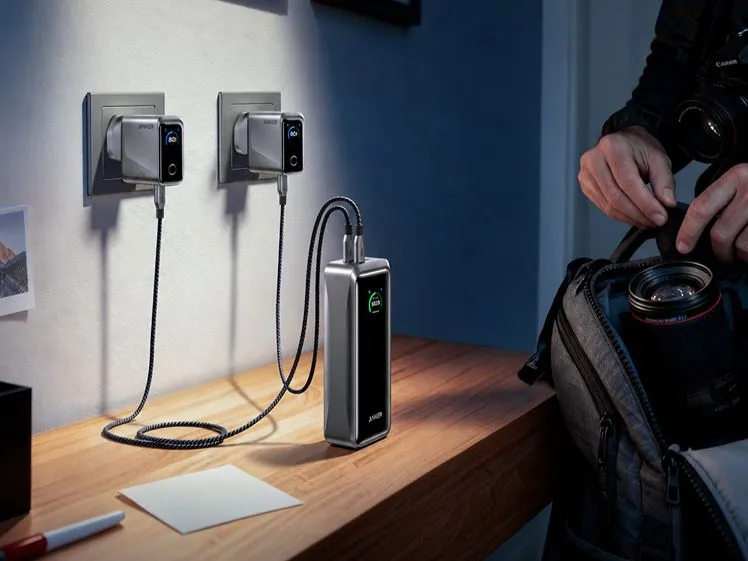
Only when the power bank explicitly supports combined input through those ports. Two input-capable sockets do not automatically combine their ratings. Follow the manual’s connection instructions and total input limit; connecting a second charger may provide no additional charging power.
Can a Laptop USB-C Port Recharge a Power Bank?
Yes, if the laptop port supplies a charging profile the power bank accepts. Check the port’s output specification and confirm that the bank is receiving power. On connections that support power in either direction, the laptop could otherwise become the device being charged.
Does Double the Input Wattage Mean Half the Recharge Time?
No. Doubling the rated input limit does not necessarily double average charging power. The bank, charger, and cable must support the higher input. Charging taper and temperature controls can reduce the benefit, so compare documented times for the same charge range.