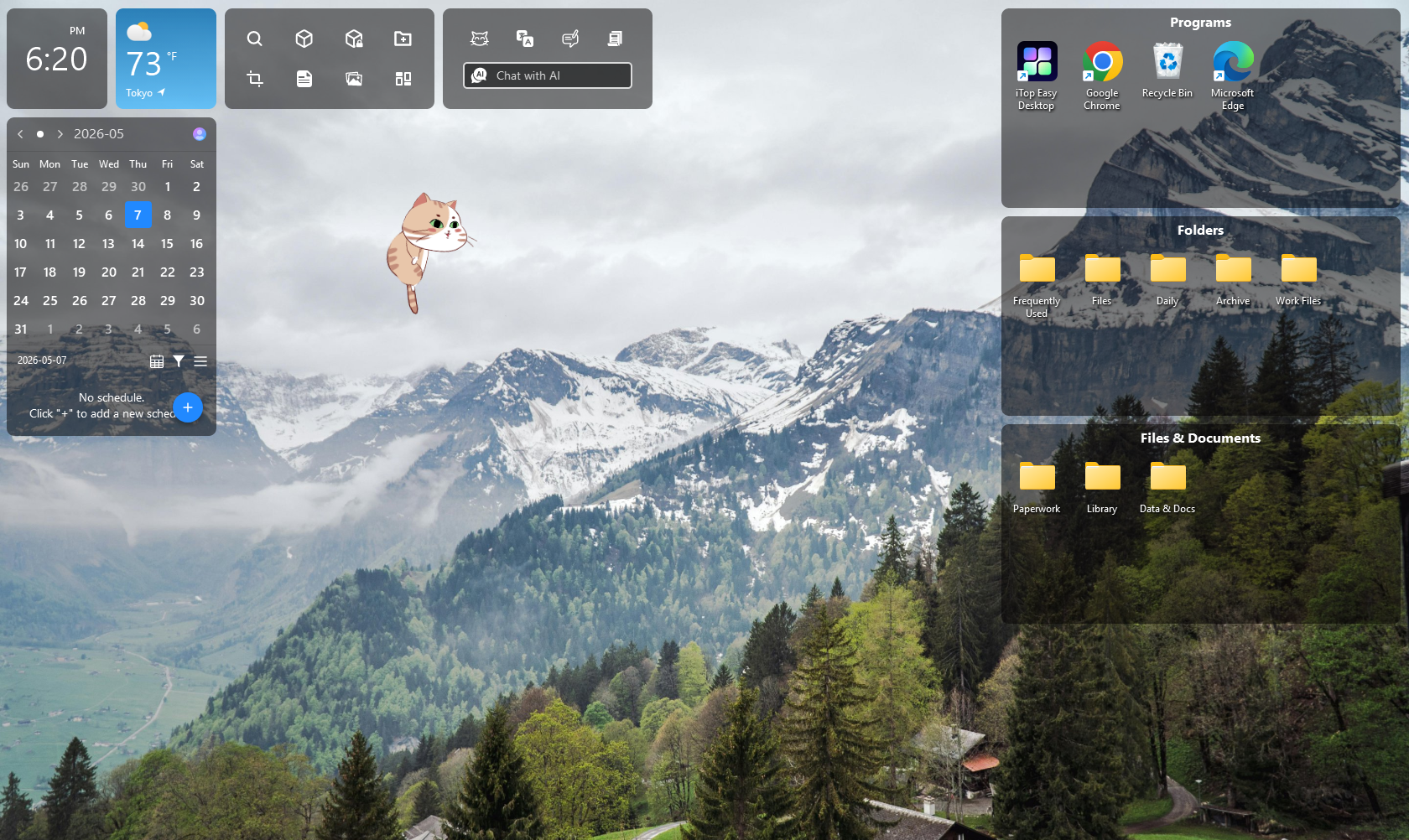
With iTop Easy Desktop, I Focus on What Truly Matters, Not the Clutter
There was a specific afternoon when I noticed I’d minimized every window on my screen just to think for a second, and the desktop underneath was somehow more distracting than the tabs I’d closed. Icons everywhere, half-finished downloads, a dozen screenshots I never got around to naming. I hadn’t opened a single notification, yet my focus was already gone.
That was the moment I stopped treating my desktop as background scenery and started treating it as part of the problem. iTop Easy Desktop is what I used to fix it, but the bigger shift was realizing that clutter itself, not just interruptions, had been quietly competing for my attention the whole time.
What Clutter Actually Costs Your Attention
It’s easy to assume a messy desktop is just an eyesore. The research on visual attention says otherwise.
Every icon, folder, and stray file sitting in your field of view has to be processed and dismissed before your brain can settle on the task at hand. That filtering happens constantly and mostly outside conscious awareness, which means a cluttered desktop is quietly taxing your focus before you’ve typed a single word.
Researchers studying workplace interruptions have found that people are pulled away from a task roughly every few minutes, and each pull leaves a kind of residue that makes it harder to fully return to what you were doing. A messy desktop adds its own version of this cost, since every glance at scattered icons is a tiny interruption you didn’t ask for.
One-Click Auto Organization: The Feature That Actually Fixed Things
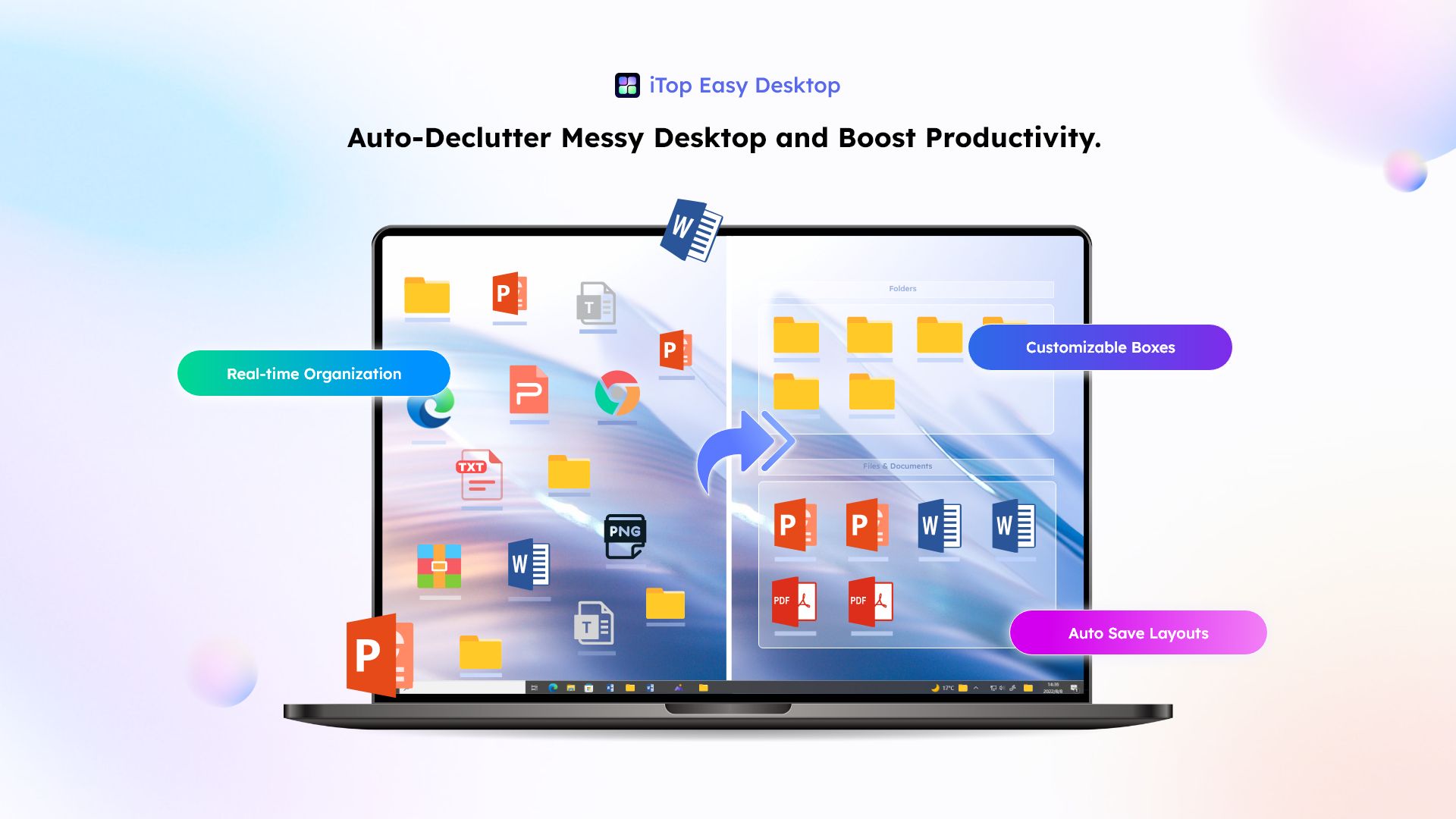
iTop Easy Desktop earned its place in my routine, not by adding more things to manage, but by removing decisions I didn’t need to make anymore.
Running the auto-organize function sorted every scattered file into labeled boxes within seconds, grouping documents, images, and shortcuts without me touching a thing. What used to be a wall of icons became three or four clearly named groups I could actually parse at a glance. I didn’t have to decide where anything belonged; I just clicked once and the decision was already made for me.
Double-clicking an empty part of the desktop hides everything instantly, which turned out to be more useful for focus than I expected. Before a deep work block, I clear the screen the same way I’d close a browser tab I didn’t need open, and one more click brings everything back exactly where it was.
Over 22,000 Wallpapers, So the Desktop Actually Feels Like Mine
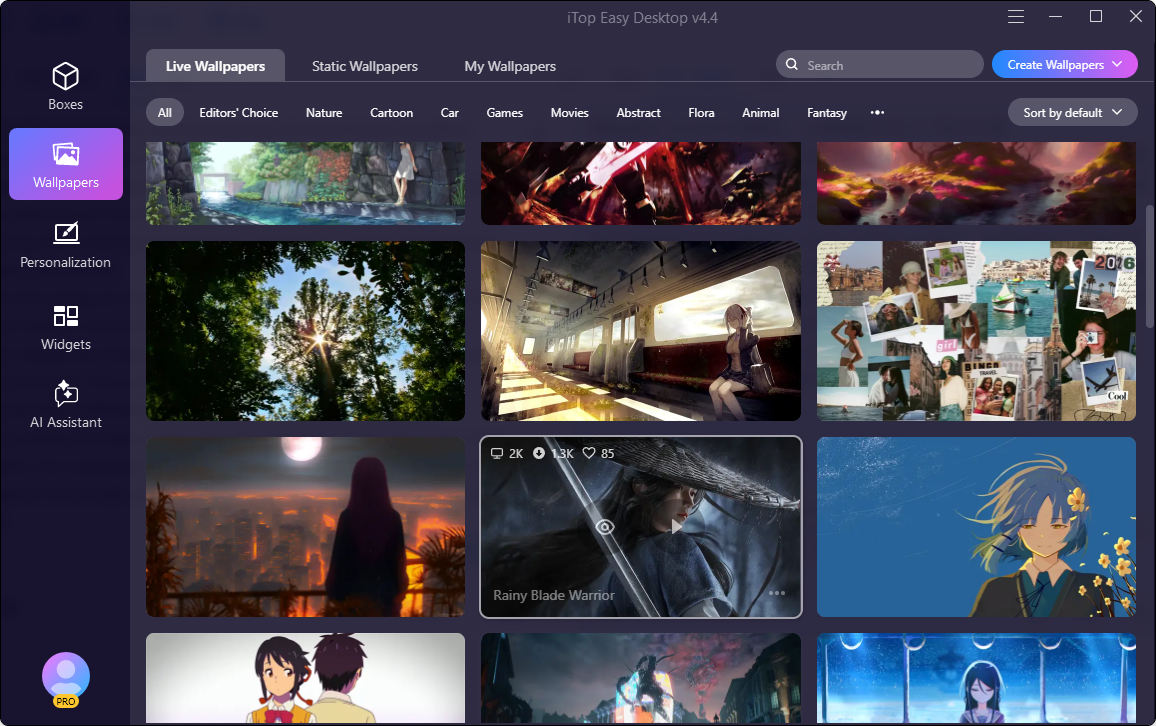
Organization solved the clutter problem, but I didn’t expect the wallpaper library to matter as much as it did. iTop Easy Desktop ships with a collection of more than 22,000 wallpapers, spanning everything from minimal and abstract designs to nature photography and seasonal themes.
Instead of hunting across random sites for a decent 4K wallpaper and hoping it doesn’t come bundled with a sketchy download, I could browse categories inside the app and swap backgrounds whenever the mood struck. It’s a small thing, but a desktop that looks intentional feels different to sit down at than one that still has whatever default image came with the machine. Once the icons were organized, the wallpaper was the last piece that made the screen feel like a space I’d actually set up, not just a surface things happened to land on.
Customizing the Desktop, Mouse, and More
The part of iTop Easy Desktop I underestimated at first was how much control it gives you over the small details of how your desktop looks and behaves, well beyond just organizing files.
- Desktop customization: icon size, spacing, transparency, and layout style can all be adjusted, so the organized boxes from auto-organize can also be styled to match how you actually like to work.
- Mouse customization: cursor styles and effects can be changed, which sounds cosmetic until you’re staring at the same pointer eight hours a day and realize you’d rather look at something else.
- Additional personalization options: things like desktop icon themes and visual effects round out the toolkit, so the workspace ends up feeling tailored rather than default.
None of these are individually dramatic, but stacked together they turn a generic Windows desktop into something that actually reflects how you want to work and what you want to look at while doing it.
iTop Easy Desktop’s widgets bring practical tools like a calendar, notes, weather, and a Pomodoro timer directly to your desktop for better productivity.
iTop Easy Desktop vs. Windows’ Native Focus Tools
Before settling into this routine, I wanted to know whether Windows’ own built-in tools already did the job, since installing more desktop software felt counterintuitive for a focus problem.
What Focus Assist and Focus Sessions Actually Block
Windows’ Focus feature, called Focus Assist on Windows 10 and Focus Sessions on Windows 11, silences notifications and hides taskbar badges during a set window of time. It’s genuinely useful for keeping pop-ups and pings from interrupting you mid-task.
Where Windows’ Built-In Tools Fall Short
What Focus Assist doesn’t touch is the desktop itself. Notifications can be silent and your screen can still be a wall of unsorted icons, which means the visual clutter that was pulling at my attention in the first place was never addressed by Windows’ native tools at all.
Why Visual Organization Matters as Much as Notification Silence
Quiet notifications and a clean visual field solve two different problems, and I needed both. Focus Assist handles the interruptions coming from outside. iTop Easy Desktop handles the ones sitting quietly on my screen, and lets me shape how that screen looks in the first place.
Where This Approach Has Limits
It would be inaccurate to present this as a complete fix, so it’s worth being direct about where it falls short.
Software Can’t Replace Your Own Focus Habits
No amount of organizing changes the fact that focus is still a habit you have to practice. iTop Easy Desktop removed a source of friction, but it didn’t replace the discipline of actually sitting down and working through a task.
What Changed Once the Clutter Stopped Competing for Attention
The clearest sign this was working came a few weeks in, when I noticed I wasn’t minimizing windows just to think anymore. My desktop had stopped being something I had to mentally filter out before starting a task, and for once, it actually looked like a space I’d chosen rather than one that had just happened to me—thanks to a desktop organizer software that quietly sorted my chaos into clean, meaningful zones.
That’s really what ‘focusing on what matters’ ended up meaning in practice. It wasn’t about willpower or cutting out distractions through sheer effort. It was one click of organization, a wallpaper that actually felt like mine, and a handful of small customizations that made the screen feel intentional, so the actual work could finally be the loudest thing on it. If that sounds like the kind of clarity you’ve been missing, give iTop Easy Desktop a try—and see what your desktop can become when it finally works for you, not against you.